One metric contract across iOS, Android, web and backend

Yingchen Liu
How raw AxIT force traces become consistent metrics across mobile, controlled backend backfills, benchmark generation and browser-based algorithm review.
- Kotlin Multiplatform
- iOS & Android
- Data contracts
01
Traces become metrics; metrics become decisions and benchmarks
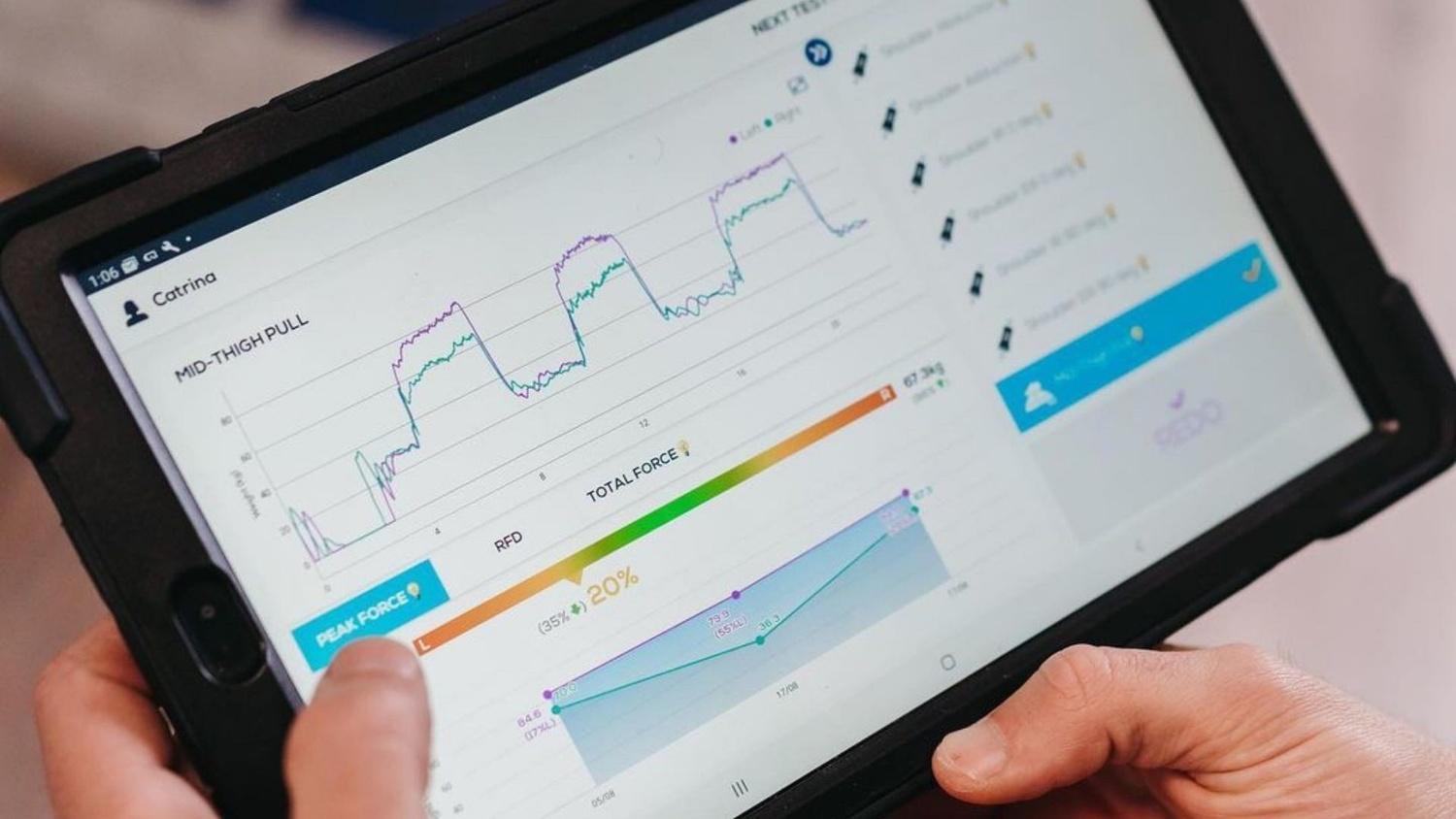
AxIT is a connected strength-assessment app. A practitioner runs a test with Push-IT, Pull-IT or Stomp-IT hardware, and the app shows live force, calculated results and reports.

During a strength, jump or balance assessment, the hardware does not send a finished result such as ‘Peak Force: 820 N’. It sends a trace: many force samples captured over time, often with separate left and right channels. Software must identify the relevant test and movement phases, apply the correct sampling-aware algorithm, and return a value with a unit and an explanation of whether that value is available.
A metric is one derived interpretation of that trace. Peak force asks for the highest valid force in a defined region; rate of force development describes how quickly force rises; impulse integrates force over a time interval; relative and bilateral metrics add bodyweight or side-to-side context. These examples share raw data but not necessarily the same filters, phases, units or failure conditions. A plausible-looking number can therefore still be wrong if two products use different rules.
A benchmark is different again: it is a reference distribution built by calculating the same versioned metric over a comparable cohort, then aggregating those results into percentiles or curves. Mobile apps need metrics immediately during assessment; the backend needs them for controlled recalculation, backfills and benchmark generation; Connect needs to display saved results; and browser review tools need to recalculate frozen, de-identified traces so a new algorithm can be compared with the current one before release.
02
Separate the metrics before iOS
AxIT started on Android. The metric rules lived in that app: which result belongs to a test, the unit, and what happens when a result is missing. Connect came next. It shows a saved session, so it has to explain the same numbers after the test is over. There was no iOS app yet.
Before iOS was created, I wanted those metrics separated from the Android screens. A second copy inside the new app would let the two products drift, while the numbers still looked right. I chose Kotlin Multiplatform for that split. Android could keep using the calculation it already had, Connect could call it, and iOS could use it from the day the app existed.
Making the whole app cross-platform was not a good option. Bluetooth is different on Android and iOS. The screens need to fit each platform. Performance, including how quickly a live force curve appears, depends on the native app. Kotlin Multiplatform shares the metrics. It does not replace the app.
Extracting the metrics was not a large rewrite. The Android calculation was already there, so the work was to convert it from Java to Kotlin. Each caller still needed its own adapter: iOS receives a framework, and the browser cannot import that mobile build, so it has its own packaged path. That is not starting from scratch, and it did not require retesting the whole app.
A peak force taken from the wrong part of the recording, or a rate of force development that assumes a different measurement rate, can still look like a real result. One shared calculation is what stops that. Each product keeps its own screens.
03
One recording, one meaning, three places it is used
Architecture
The shared calculation decides what a saved force recording means. The phone apps, the backend and the browser use that meaning for different jobs. They do not share one screen.
The meaning
What does the number mean?
In the shared calculation, before any app shows it. A force recording is many samples over time, often from the left and the right side.
- 01
Keep the recording
Save the force samples, which side they came from, which test it was, and how often the force was measured.
- 02
Use one calculation
The same rules decide the result, the unit, and whether a result is available. A missing result is not turned into zero.
- 03
Remember which calculation ran
The saved number keeps the identity of the calculation that produced it, so a wording change is not mistaken for a new result.
The jobs
Where is that number used?
Each product keeps its own screens. They call the same calculation for a different job.
- 01
Show it during the test
The Android and iOS apps calculate on the phone so the practitioner sees the result immediately.
- 02
Recalculate saved tests
The backend fills eligible missing results and builds a benchmark from one pinned calculation. It does not rewrite every old recording.
- 03
Compare a candidate
The browser runs the current calculation and a new one on the same saved recordings, with personal details removed.
The boundary: share meaning, not the user interface
I drew the shared boundary around domain meaning. AxLib owns typed test and metric identities, catalogue interpretation, capability rules, sampling policy, calculation algorithms, units, availability states and calculation provenance. Platform adapters translate those shared types into the environment that invokes them.
The clients deliberately retain navigation, Bluetooth state, local persistence, visualisation, accessibility and release behaviour. A shared screen would have forced Android, iOS, Connect and review tooling into one interaction model; a shared calculation contract lets them remain different products while agreeing on the meaning of their data.
How the calculation contract is modelled
The input contract contains the raw trace channels and their ordering, the test identity, sampling frequency and the metadata required by an algorithm. Catalogue data maps that test to allowed metric definitions, presentation groups and capability gates. The calculator then returns typed outcomes containing the metric identity, values, unit, availability or error state, engine identity and the provenance needed to explain the calculation.
That separation matters when the catalogue evolves. A new metric can be made eligible for one test without becoming visible everywhere; an experimental algorithm can remain gated while the established result continues to calculate; and an old saved result can retain the engine that produced it even after display wording changes.
Kotlin Multiplatform publishes the domain contract to Android/JVM and an iOS framework. A separately packaged Kotlin/JavaScript bridge exposes the calculator to browser and server-side JavaScript consumers. I did not treat the mobile framework as something Node could import directly: each target has an explicit adapter and distribution path around the same domain model.
Mobile: immediate results without duplicating the rules
Android and iOS both need to calculate near the assessment. They receive device samples, assemble the left and right traces, attach the test and sampling context, invoke the shared calculator and translate the typed result into native history, charts and reports. Keeping that path local makes the workflow responsive and does not make basic result review dependent on a round trip to the backend.
On iOS I integrated the catalogue into metric selection, current and historical results, save/reopen behaviour and synchronisation. Uploads preserve the raw trace and calculation identity so the server can distinguish the evidence recorded by the device from the derived outcome. The iOS interface remains SwiftUI and the Android interface remains native; what they share is the contract that decides what the numbers mean.
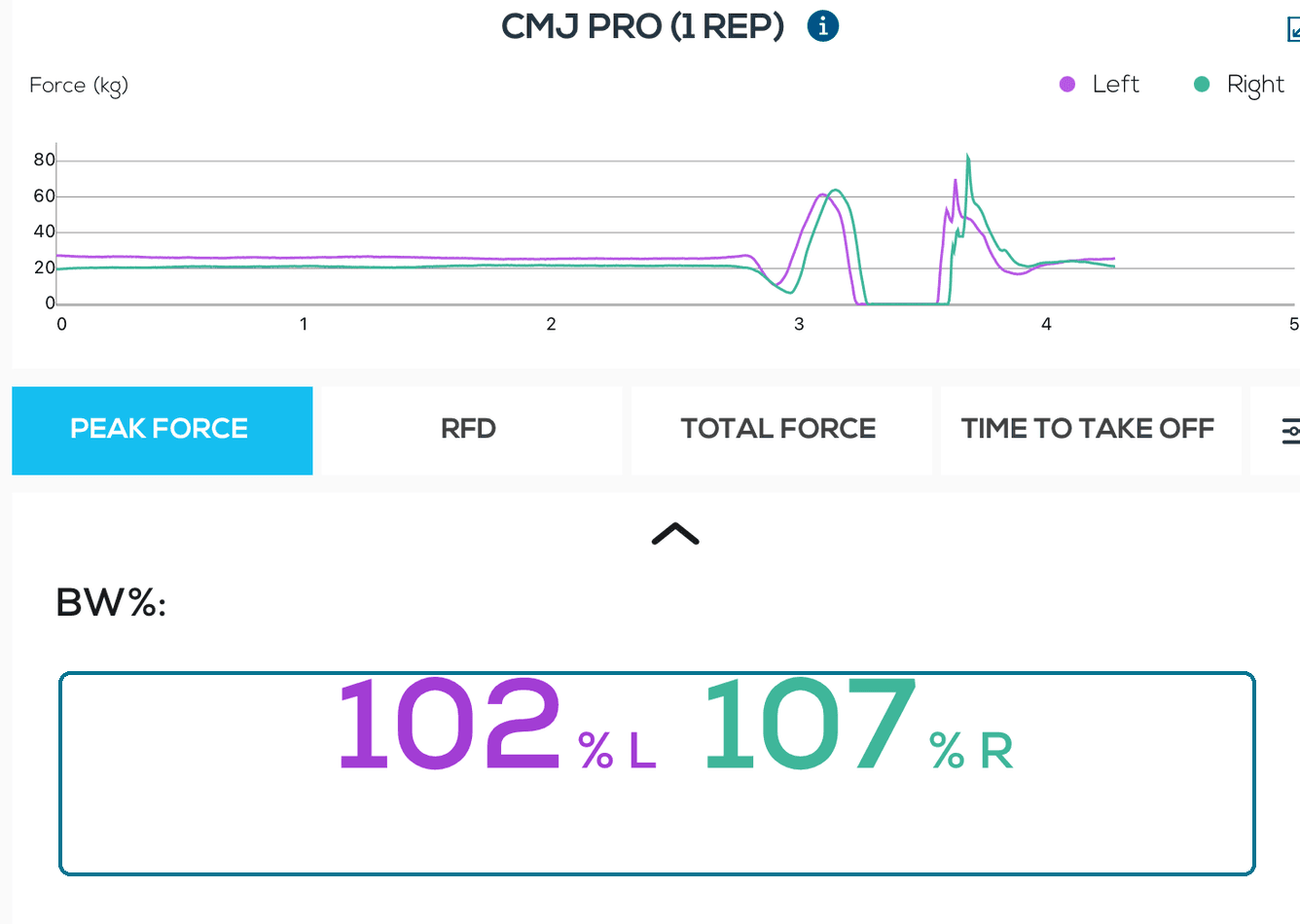
The phone shows the shared result
This is the point of the phone job. The iOS screen shows the left and right force curves and the peak-force result for each side, 102% and 107% of bodyweight. The shared calculation decides what those numbers mean. iOS decides how the screen looks.
Backend: deterministic backfills and benchmark generation
The backend needs the same calculator for work that is impractical or inappropriate on a device. A controlled backfill can select eligible stored traces, pin the catalogue and engine version, recalculate missing or newly supported metrics and write a new versioned outcome without changing the raw recording. Failures and unavailable results remain explicit, so a batch job cannot make incomplete history look complete by silently skipping difficult cases.
Benchmark generation uses the same principle at population scale. The job first defines a comparable cohort—test type, metric, units and any relevant demographic or protocol filters—then calculates every eligible trace with one pinned engine. Only after that does it aggregate values into percentile curves or other reference data. The stored benchmark needs its cohort definition and calculation provenance; otherwise a later product cannot tell whether a changed curve reflects new data or different maths.
This architecture makes backfill and benchmark work reproducible, but it does not imply that every historical record should be rewritten. Migration eligibility, review, rollout and preservation policy remain separate product decisions.
Web: recalculate traces to review and experiment safely
Connect is a browser application, not a Node server hidden behind the UI. Its ordinary product path displays stored sessions and benchmark curves from backend services. For algorithm work, a dedicated Kotlin/JavaScript route lets review tooling run AxLib directly against approved, de-identified traces in the browser or in an explicitly packaged JavaScript environment.
A reviewer can freeze one trace cohort, calculate it with the production engine and a candidate engine, and compare values, availability and intermediate evidence trace by trace. The review also exposes population behaviour: total success rate, previously successful traces, recovered cases, lost cases, unchanged results and changed results. That reveals an algorithm which ‘works’ on a hand-picked example but regresses a wider production sample.
This shortens experimentation without weakening the approval boundary. Engineers can change an algorithm and immediately produce a repeatable comparison; domain experts can focus on changed or ambiguous cases; and only an accepted engine version moves into mobile integration and exact-build app QA. A browser replay is evidence for the calculation—it is not by itself physical-device, PDF, hosted-release or scientific acceptance.
04
The decisions that shaped the system
- 01
Share semantics, not screens
The common layer owns catalogue meaning, capability rules, units and calculations; each product keeps native navigation and presentation.
- 02
Treat sampling as provenance
The recorded test carries its sampling policy, so later calculations do not guess which frequency produced the curve.
- 03
Persist engine identity
Saved outcomes retain the calculation identity independently from a user-facing label, keeping wording changes separate from numerical changes.
05
What improved
One metric definition can now move through recording, immediate mobile calculation, saved history, controlled backend recalculation, benchmark generation and browser review as a coherent contract. Teams spend less time reconciling duplicated constants, and a reviewer can tell the difference between unavailable data, an algorithm error, a platform integration problem and a genuine numerical change.
The shared contract also makes experimentation cheaper. New algorithms can be evaluated over frozen production-derived evidence before they are exposed to app testers, while platform teams continue to evolve navigation and presentation independently.
06
What I learned
Cross-platform code is most valuable when it removes semantic duplication, not when it maximises the percentage of shared lines. Sharing the calculation contract created leverage across mobile delivery, backend operations, benchmark data and expert review without forcing four products into one UI framework.
The other lesson is that reproducibility is a product feature. Raw trace identity, sampling context, catalogue version, engine identity and cohort definition must travel with the number; otherwise a future recalculation can produce a different answer with no reliable way to explain why.
Takeaways
- Share domain meaning and calculations while keeping each product native.
- Use the same pinned engine for mobile results, controlled backfills and benchmark inputs.
- Make browser experimentation reproducible with frozen traces and baseline-versus-candidate evidence.
- Treat sampling, catalogue, engine and cohort identity as data provenance.