One summarisation engine across web, backend and automation
Yingchen Liu
Mind-map generation lived in the browser page. I moved that work into one shared generator so the website, the backend and automation produce the same map, including when no page is open. The move took more than a month.
- Mind maps
- Shared packages
- Workflow design
01
Summarisation is only one stage of producing a mind map
Mapify is an AI app that turns documents, videos, recordings and web pages into visual mind maps.
Those sources arrive in very different shapes: documents, web pages, videos, audio transcripts, images and automation requests. Each one has to be fetched or decoded, turned into text, and tied to a language, a user and any attached media before a model can build a map.
That work used to live on the open page. The website, the backend and Zapier all need the same map, including when nobody has the page open. Making one generator do that took more than a month. The generator was the page. Moving it meant taking the page apart, keeping the website’s maps unchanged, and rebuilding the parts a server does not have.
02
The problem
Mapify could already make a map from an upload, a web page, or an automation such as Zapier. Those entry points were growing, and each one was close to owning its own prompts, its own save step and its own picture. The same document could then become a different tree on the website and in an automation.
The generator that should have been shared was not a function waiting to be called. Markdown conversion, saving, themes, prompts, the model client and the chat log were mixed through the open page. It reached into that page for the document, the on-screen viewer, the settings, the chat session, the local database and session storage, then fitted the map to the window. An automation has none of those. Pulling one piece out changed the layout of maps the website already showed. Each cut had to be put back together before the next one, or the product’s own generation broke. That extraction, and the repairs after it, ran from January into March.
Copying the generator into the backend would have made the drift permanent. A change to layout, markers or the markdown parser would have landed twice. The function had to move once, and the page-only pieces had to become arguments the caller fills in.
Moving the function was still not enough. A server has no browser canvas, so the picture has to be measured and painted another way. Two maps drawn at once ran the process out of memory. The backend also could not reach the website’s model and file routes until those became private, authenticated calls. Publishing the shared package, so the website and the backend imported one build, failed on package access, the container build and broken imports. The same stretch of work was the cleanup: page helpers renamed into plain arguments, files reorganised, and the paths that only made sense in a browser removed.

Different sources, before they share a path
This is the input side. A document, a video, an image and a structured request do not look alike. The shared generation starts only after each one has been turned into the same kind of source.
03
Many ways in, one mind map out
Architecture
A document, a video, a recording, a web page and an automation request arrive in different shapes. After they are turned into one source, they follow the same steps and come out as the same kind of mind map.
The input
What comes in?
Each door into Mapify collects a different kind of material. The shared step does not start until that material has one shape.
- 01
Accept the source
Someone uploads a document, opens a web page, or an automation such as Zapier sends a request.
- 02
Turn it into one source
The text, the language, who asked, and any attached media are stored in the same form.
- 03
Stop there if the source is unusable
A missing file or a failed transcript fails at this step. It does not become a different kind of map.
The output
What comes out?
The website, backend jobs and automation all receive the same tree.
- 01
Summarise and build the tree
One shared package chooses the root topic, the hierarchy and any generated images.
- 02
Save one result shape
The product and Zapier persist that same tree. Automation does not get a reduced copy.
- 03
Limit how many run at once
Two pictures at once exhausted the server’s memory. One map is drawn at a time, and a busy account waits behind a new one.
How I implemented it
On the website, the page still calls the shared function and passes the real page: the document and the on-screen viewer, the settings, the chat session, the local database, session storage, and the step that fits the map to the window. Those are the same pieces the generator used when it lived inside the page. The cleanup was making them arguments. They had been page hooks, named and shaped for the browser, and the shared package could not depend on the page.
On the backend, those arguments are filled in without a window. The document is held in memory with the same document model the page uses. The on-screen viewer is an empty value, because only the page draws into it. Writing to the local database does nothing. Session storage keeps the markdown when the generator writes its cache. Fitting the map to a screen does nothing. Analytics calls are ignored. Two visual themes are left out, because the centre topic’s background was transparent and that background did not paint on the server.
The picture is the part that has to be real. Layout still needs the width and height of every line, or topics overlap and the PNG is the wrong size. The backend loads the fonts and measures each line, then paints the shapes and the text into a PNG on a server canvas. A preview wider than 3,500 pixels is scaled down. A 440-pixel thumbnail is resized for the saved file. Drawing two of those pictures at once exhausted memory, so a queue runs one generation. The wait is logged, and a busy account’s next request gets a lower priority than a new account’s first request.
A request can be a prompt, an AI search, a website, a YouTube link, or a GPT app. YouTube is accepted when the video already has subtitles. The caller is recorded as Zapier, MCP, Dify, an X bot, a GPT app, or n8n. The whole generation has a ten-minute limit. A long source does not hold the caller’s connection open: the backend accepts the request, generates, and calls back when the map is ready. That callback address has to be a public URL. A missing account and an account with no credits are rejected before a picture is drawn, and the generator’s own errors become different HTTP results. Web search and the image on the root topic follow the same path as a map made in the product.
The website, the video transcript and the model stream come back through the private web APIs. Getting there took its own fixes. The backend could not reach the website until the internal address, the signing key and the private routes agreed. The shared package then had to be published so both apps imported the same generator. The publish pipeline failed on credentials, on the container build, and on import paths, and each of those had to be cleared before either side could ship. The backend then saves the document, the PNG and the thumbnail as the user’s file. A later source, image model or retry is a change to this one function, rather than a patch on every entry point.
04
The decision
I extracted the generator into the shared package. A document, a web page, a transcript or an automation request is turned into one source first: the text, the language, who asked, and any attached media. The function then summarises that source, chooses the root topic, builds the tree and returns one result. The website passes the live page. The backend passes memory and a server canvas.
The model call stays on the web service. The backend asks Mapify’s private APIs for the language, the summary and the saved file, then turns the returned markdown into a document and a PNG. One generation runs at a time. An account that already has a map waiting is placed behind a new account, so one caller cannot fill the queue.
The decisions that shaped the system
- 01
Turn every source into one shape
A file, a web page, a transcript and an automation request become one source: the text, the language, who asked, and any media.
- 02
Return one mind map
The website and the backend call the same function. The tree, the root topic and the picture leave in the same shape for the product and for automation.
- 03
Draw one map at a time
A server has no browser canvas. Fonts measure each line, and a server canvas paints the PNG. Two maps at once ran the process out of memory.
05
What improved
The website, the backend and automation produce the same tree, the same markdown and the same PNG. An automation can ask for that map when nobody has Mapify open. A new entry point collects the source. It does not rebuild summarisation, the hierarchy or the save step. One picture at a time keeps the server inside its memory, and a failure sits in the source step, the generation step, or the save step.
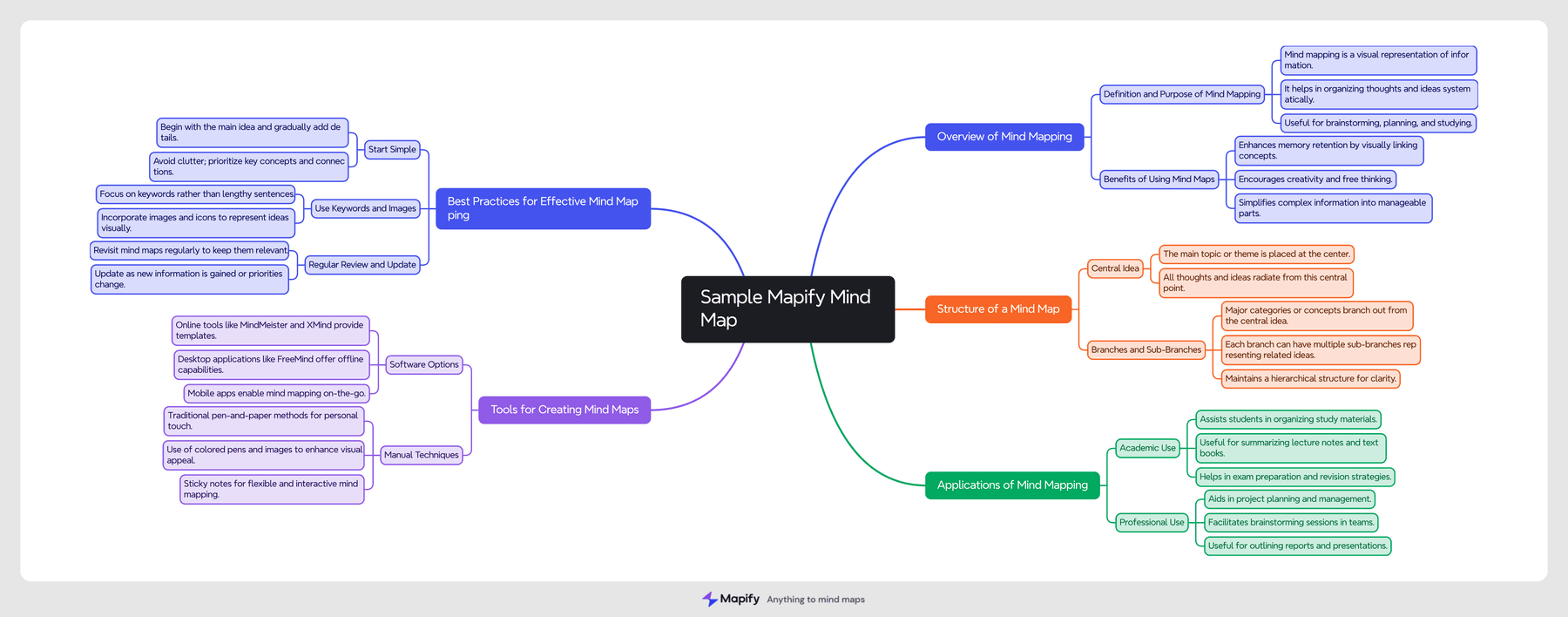
Automation gets the same tree
This is the output side. A map made through automation has the same hierarchy as one made in the product. It is not a smaller format invented for the integration.
06
What I learned
One mind-map engine is the source, the generator and the save step, shared by the page and by every caller that has no page. The empty stand-ins for the viewer, the window fit and the local database are the small part. The month is the extraction that must not change the website’s maps, the picture that has to be measured for real, the memory limit of painting it, and the publishing and cleanup that let both apps share one build.
Takeaways
- Turn every source into one text, language and user before generation.
- Keep the website and the backend on that same function.
- Measure and paint one map at a time when there is no browser canvas.